

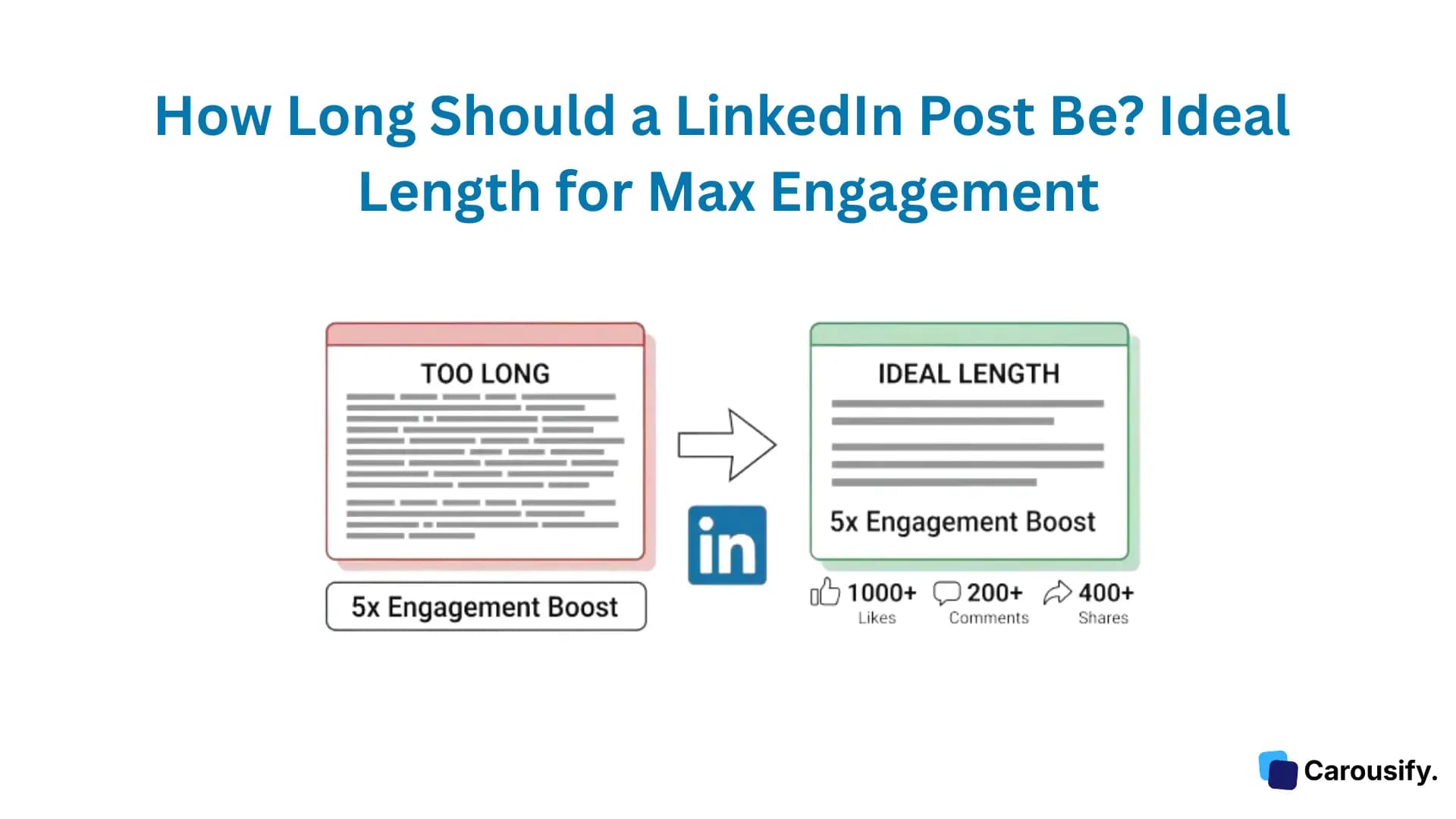
Short answer: 1,300 to 1,900 characters.
An analysis of 10,000+ LinkedIn posts found that posts in this range get 47% more engagement than shorter or longer posts. That's roughly 200-300 words — enough to tell a complete story with a hook, context, insight, and call-to-action, without losing the reader halfway through.
But that's just the headline number. The real answer depends on what you're posting, why you're posting it, and what format you're using. I'll break down the ideal length for every LinkedIn content type, show you what the algorithm actually rewards, and explain why those first 210 characters matter more than the other 2,790 combined.
Every LinkedIn Character Limit in One Place
Before getting into strategy, here's the full cheat sheet. LinkedIn has different character limits for different content types, and most people don't know half of these:
| Content Type | Character Limit | Optimal Length |
|---|---|---|
| Regular Post | 3,000 | 1,300-1,900 |
| Comment | 1,250 | 50-150 |
| Article | 125,000 | 1,900-2,200 words |
| Profile Headline | 220 | 100-120 |
| About/Bio Section | 2,600 | 1,800-2,200 |
| Connection Request Note | 300 | 150-250 |
| Direct Message | 8,000 | Under 300 |
| InMail Subject | 200 | Under 60 |
| InMail Body | 1,900 | 400-800 |
| Company Page Description | 2,000 | 1,000-1,500 |
The regular post limit is 3,000 characters — but using all 3,000 is almost always a mistake. Posts exceeding 2,000 characters see a 35% drop in engagement because readers bail before reaching your point.
The First 210 Characters Are Your Entire Strategy
Here's the single most important thing about LinkedIn post length: only your first 210 characters are visible in the feed.
Everything after that hides behind the "...see more" button. And 60-70% of people who see your post will never click it.
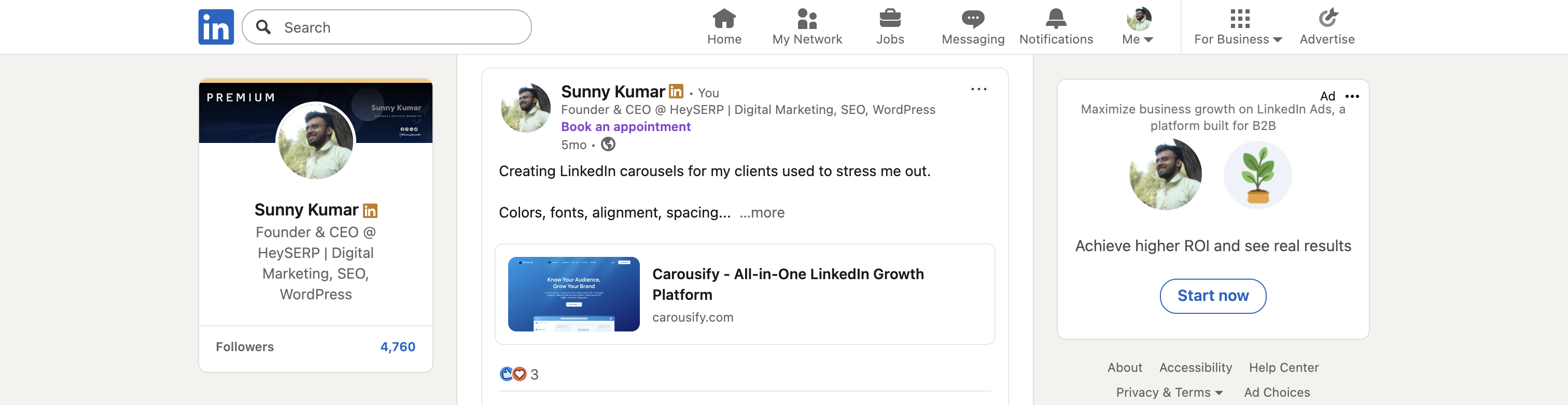
That means your first 210 characters have one job: make the reader click "see more." If they don't click, it doesn't matter if the remaining 2,790 characters are the best content ever written — nobody will read them.
What works in those first 210 characters:
- A specific number: "I analyzed 300 LinkedIn posts and found something surprising."
- A bold claim: "Most LinkedIn advice is making your engagement worse."
- A personal hook: "I lost 80% of my followers in one month. Here's what I learned."
- A direct question: "Why do some LinkedIn posts get 10K views while yours get 40?"
What wastes those characters:
- "I'm excited to share that..." (47 characters spent saying nothing)
- "In today's fast-paced professional landscape..." (filler that screams "skip me")
- "Here are some thoughts on..." (vague, no reason to click)
Every filler word — "very," "really," "just," "actually," "I believe that" — eats characters without adding value. Cut them all.
Quick Note:
The "see more" click itself is an algorithm signal. When someone expands your post, LinkedIn registers that as genuine interest and starts measuring dwell time. Posts with high "see more" click rates get pushed to wider audiences.
Ideal LinkedIn Post Length by the Data
Here's the engagement breakdown by character count, based on aggregated data from multiple 2026 studies:
| Character Count | Word Count (approx.) | Engagement Impact |
|---|---|---|
| Under 300 | Under 50 words | Low engagement — algorithm flags as low-effort. Exception: polls and provocative one-liners |
| 300-700 | 50-120 words | Moderate — works for quick tips and questions, but limited dwell time |
| 700-1,300 | 120-220 words | Good — solid for single-idea posts with a clear CTA |
| 1,300-1,900 | 220-320 words | Best — 47% higher engagement. Full narrative arc in 60-90 seconds of reading |
| 1,900-2,500 | 320-420 words | Strong — still performs well if every sentence earns its place |
| 2,500-3,000 | 420-500 words | Diminishing returns — 35% engagement drop vs. the sweet spot. Only use for deep, high-value content |
The 1,300-1,900 character range wins because it hits the sweet spot between two competing forces:
- Long enough for LinkedIn's algorithm to reward it (high dwell time, "see more" clicks, room for substance)
- Short enough that mobile readers (57% of LinkedIn users) actually finish it
Here's what I've found personally: my posts in the 1,400-1,600 character range consistently outperform everything else. Shorter posts feel incomplete. Longer posts lose people around the 2,000-character mark — I can see it in the analytics when dwell time drops off.
Ideal Post Length by Goal
The "right" length also depends on what you're trying to achieve:
Personal Branding (Mix It Up)
If you're building a personal brand on LinkedIn, don't lock yourself into one length. The research suggests this mix:
- 70% medium posts (700-1,500 characters) — your bread and butter. Tips, stories, frameworks
- 20% short posts (150-500 characters) — bold one-liners, hot takes, questions that start debates
- 10% long posts (1,500-2,500 characters) — deep dives on topics where you have real expertise
Variety keeps your audience engaged. If every post is the same length and format, people start pattern-matching and scrolling past.
Thought Leadership (Go Longer)
When you're establishing authority on a topic, you need room to demonstrate depth. 1,500-2,200 characters works best here because thought leadership requires original analysis, not just repackaged tips.
These posts should include specific data, personal experience, and a non-obvious conclusion. They take longer to read, but the people who read them are your most valuable audience — they comment, save, and share.
Lead Generation (Stay Focused)
For posts designed to drive leads — profile visits, website clicks, DM conversations — 900-1,400 characters performs best. You need enough space to:
- Identify a specific pain point your audience has (the hook)
- Demonstrate that you understand it deeply (credibility)
- Hint at the solution without giving everything away (curiosity gap)
- Include a clear call-to-action (the conversion)
Longer lead-gen posts lose focus. Shorter ones don't build enough trust.
Quick Engagement / Polls (Keep It Short)
Polls, provocative questions, and debate-starters work best at 150-400 characters. These posts don't need a full narrative — they need a sharp question and an easy entry point for comments.
"What's harder: getting your first 1,000 LinkedIn followers or going from 1,000 to 10,000?" — that's 93 characters and it'll pull more comments than a 2,500-character essay on growth strategy.
Ideal Post Length by Content Format
LinkedIn isn't just text posts. Each format has its own length dynamics:
Text-Only Posts: 1,300-1,900 Characters
The sweet spot we've been discussing. For pure text posts, this range maximizes dwell time without losing mobile readers. Use line breaks every 1-2 sentences to keep it visually scannable.
Carousel/Document Posts: 8-12 Slides, 30-50 Words Per Slide
Carousels don't follow the same character rules because the "post" is the slides, not the caption. For carousel posts:
- Caption: 200-600 characters (hook + brief context + CTA). Keep it short — the carousel is the content
- Per slide: 30-50 words max. One idea per slide. If you're cramming paragraphs onto slides, you need more slides
- Slide count: 8-12 is the sweet spot. Fewer than 6 feels thin. More than 15 sees completion rates drop
Carousels pull 6.60% engagement — the highest of any format — partly because each swipe extends dwell time. A 10-slide carousel naturally generates 30-60 seconds of engagement even from casual swipers.
I create all my carousels with Carousify. The templates handle the slide sizing (1080 x 1350 px for LinkedIn), and the AI content generator breaks topics into the right number of slides with properly spaced copy. Trying to manually keep each slide under 50 words while telling a coherent story across 10 slides is tedious — Carousify's AI handles the pacing.
Video Posts: Keep Captions Under 500 Characters
For native video, the video is the content. Your caption should be a short hook that makes people press play — not a full blog post above a video nobody watches.
- Caption: 300-500 characters
- Video length: 30-90 seconds for feed videos, up to 10 minutes for in-depth content
- First 3 seconds: must grab attention (same logic as the first 210 characters for text)
LinkedIn Articles: 1,900-2,200 Words
Articles (the long-form blog-style format) are a completely different beast. They support up to 125,000 characters, but the data says 1,900-2,200 words is optimal.
Articles generate lower immediate engagement (1-3% vs. 3.85% for posts) but produce higher-quality interactions. They also live permanently on your profile and get indexed by Google — making them better for long-term discoverability than regular posts.
Use articles for comprehensive guides, original research, and deep opinion pieces. Use regular posts for everything else.
Formatting Tricks That Make Long Posts Feel Short
A 1,500-character post can feel like a breeze or a wall of text depending entirely on formatting. The content is the same — the readability is completely different.
Break Lines Aggressively
Single-sentence paragraphs are perfectly fine on LinkedIn.
In fact, they're preferred.
Every line break creates white space, which makes the post feel lighter and faster to read on mobile. The same 1,500 characters formatted as one block paragraph will lose readers. Formatted with line breaks, it holds attention.
Use Numbered Lists and Bullet Points
Lists give readers a visual roadmap. They know there are 5 items, they're on item 3, and they can see the finish line. That sense of progress keeps people scrolling:
- Lists create micro-commitments (I'll just read the next bullet...)
- They break complex ideas into scannable pieces
- They look good on mobile where screen space is tight
Bold Key Phrases
Bold text creates visual anchors. Readers who skim (most of them) will read your bolded phrases first, get the gist, and then decide whether to read the full post. Strategic bolding lets you communicate your core message to skimmers while rewarding careful readers with deeper context.
Use the Staircase Format
This is a LinkedIn-specific formatting trick where each line is progressively indented or builds on the previous one:
Line 1: Statement. → Line 2: Expansion. →→ Line 3: Payoff.
It creates visual momentum that pulls the eye downward. Works especially well for lists, progressions, and story beats.
How Carousify Helps You Nail the Right Post Length
Getting the length right isn't just about counting characters — it's about structuring content so that every sentence earns its place within the optimal range.
Here's how Carousify helps:
- AI Post Generator — Tell it your topic and Carousify generates a LinkedIn post in the 1,300-1,900 character sweet spot. The AI understands LinkedIn's format — it writes a hook for the first 210 characters, structures the body for dwell time, and ends with a CTA. I use it as a first draft, then edit to add my personal voice and data.
- Carousel Builder — For carousel posts, Carousify's templates automatically pace content across the right number of slides with the right word count per slide. No more agonizing over whether a slide has too much text — the templates enforce good density.
- Content Repurposing — Paste a blog URL or upload a PDF, and Carousify converts it into a LinkedIn post or carousel at the right length. This is the feature I use most — my blog posts are 1,500-2,000 words, and Carousify distills them into 1,400-character LinkedIn posts or 10-slide carousels automatically.
- Scheduling — Once you've created the right-length content, schedule it for peak engagement times (Tuesday-Thursday, 7-9 AM) directly from the same tool. I batch-create 4-5 posts every Sunday and schedule them for the week.
Pricing: The Hobby plan starts at $4.99/month with 3 LinkedIn accounts. I use the Startup plan ($9.99/month) for 10 accounts and more AI credits.
FAQ
How many characters is a LinkedIn post?
LinkedIn posts have a maximum limit of 3,000 characters, including spaces and punctuation. Only the first 210 characters are visible in the feed before the "see more" button.
What is the ideal LinkedIn post length for engagement?
1,300-1,900 characters (roughly 200-320 words). Posts in this range get 47% more engagement than shorter or longer posts because they generate high dwell time without losing mobile readers.
Are shorter LinkedIn posts better?
Not usually. Posts under 500 characters get flagged as low-effort by LinkedIn's algorithm and receive limited distribution. The exception is polls, provocative questions, and bold one-liners that generate quick comments.
Does LinkedIn penalize long posts?
Not directly, but posts over 2,000 characters see a 35% drop in engagement because readers lose interest. If every sentence in a 2,500-character post adds value, it can still perform well — but that's rare.
How long should a LinkedIn carousel caption be?
200-600 characters. The carousel slides are the main content, so the caption should be a quick hook and CTA — not a full post on top of a carousel.
How long should a LinkedIn article be?
1,900-2,200 words. Articles support up to 125,000 characters, but the engagement sweet spot is around 2,000 words. Articles get lower immediate engagement than posts but generate higher-quality interactions and get indexed by Google.
How many words is 3,000 characters on LinkedIn?
Approximately 450-500 words, depending on word length and spacing. But the optimal range (1,300-1,900 characters) is roughly 200-320 words.
Summing Up!
The ideal LinkedIn post length is 1,300-1,900 characters — that's where the data consistently shows the highest engagement. But the first 210 characters matter more than the rest combined, because they determine whether anyone reads your post at all.
Start here: write your next LinkedIn post at around 1,400 characters, put your sharpest hook in the first line, and format it with line breaks and bold text. Compare the engagement to your last 5 posts. If you want to skip the guesswork, Carousify's AI post generator writes posts in the optimal range automatically — try it with the $4.99/month Hobby plan and see the difference in your numbers within a week.