

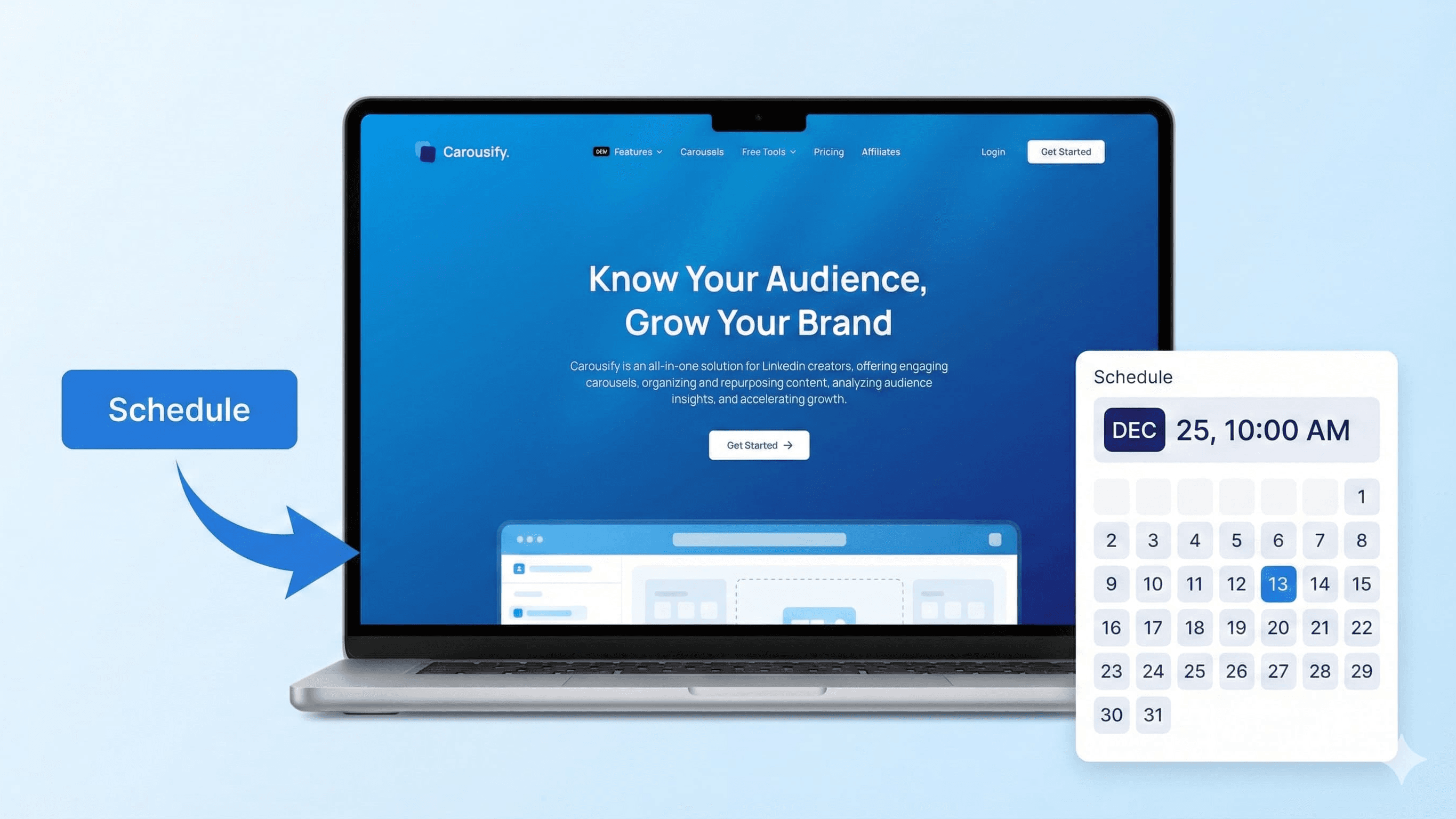
If you're a LinkedIn creator trying to build your personal brand, you know the struggle: creating engaging content, posting consistently, and tracking what actually works.
I've been using Carousify for the past few months to manage my LinkedIn presence, and honestly, it's transformed the way I approach LinkedIn content creation. No more scrambling to post at the right time or manually creating carousels in Canva!
In this guide, I'll walk you through exactly how to use Carousify to schedule LinkedIn posts, from setting up your account to publishing your first scheduled post.
What is Carousify?
Before we jump into the how-to, let me give you a quick overview.
Carousify is an all-in-one LinkedIn growth platform designed specifically for creators, entrepreneurs, and businesses looking to build their presence on LinkedIn. Unlike generic social media scheduling tools, Carousify focuses exclusively on LinkedIn with features tailored to what actually works on the platform.
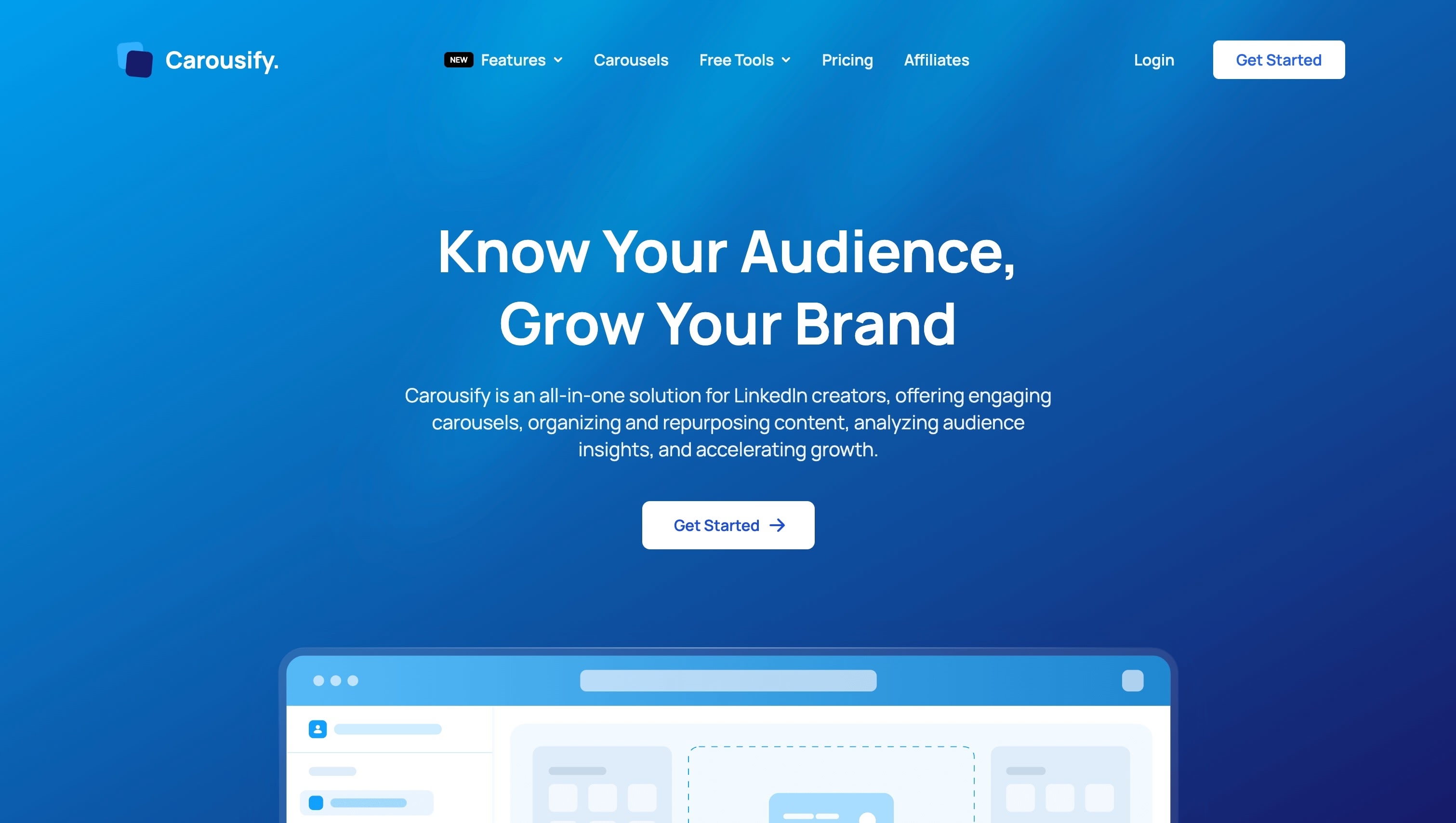
What makes Carousify special?
- Carousel Creator – Create stunning LinkedIn carousels from hundreds of pre-designed templates
- AI Writing Assistant – Get content suggestions and polish your posts with AI
- Content Repurposing – Convert PDFs and videos into LinkedIn posts automatically
- Smart Scheduling – Schedule posts to publish when your audience is most active
- Analytics Dashboard – Track performance, engagement, and CTRs in one place
- 100% LinkedIn Compliant – Uses official LinkedIn APIs, not risky automation hacks
The biggest advantage? Everything is built specifically for LinkedIn. You're not dealing with a tool that tries to handle 10 different platforms and does none of them particularly well.
Step-by-Step: How to Schedule LinkedIn Posts with Carousify
Let me walk you through the entire process from start to finish.
Step 1: Visit Carousify and Create Your Account
Head over to Carousify.com and click the "Get Started" button in the top right corner.
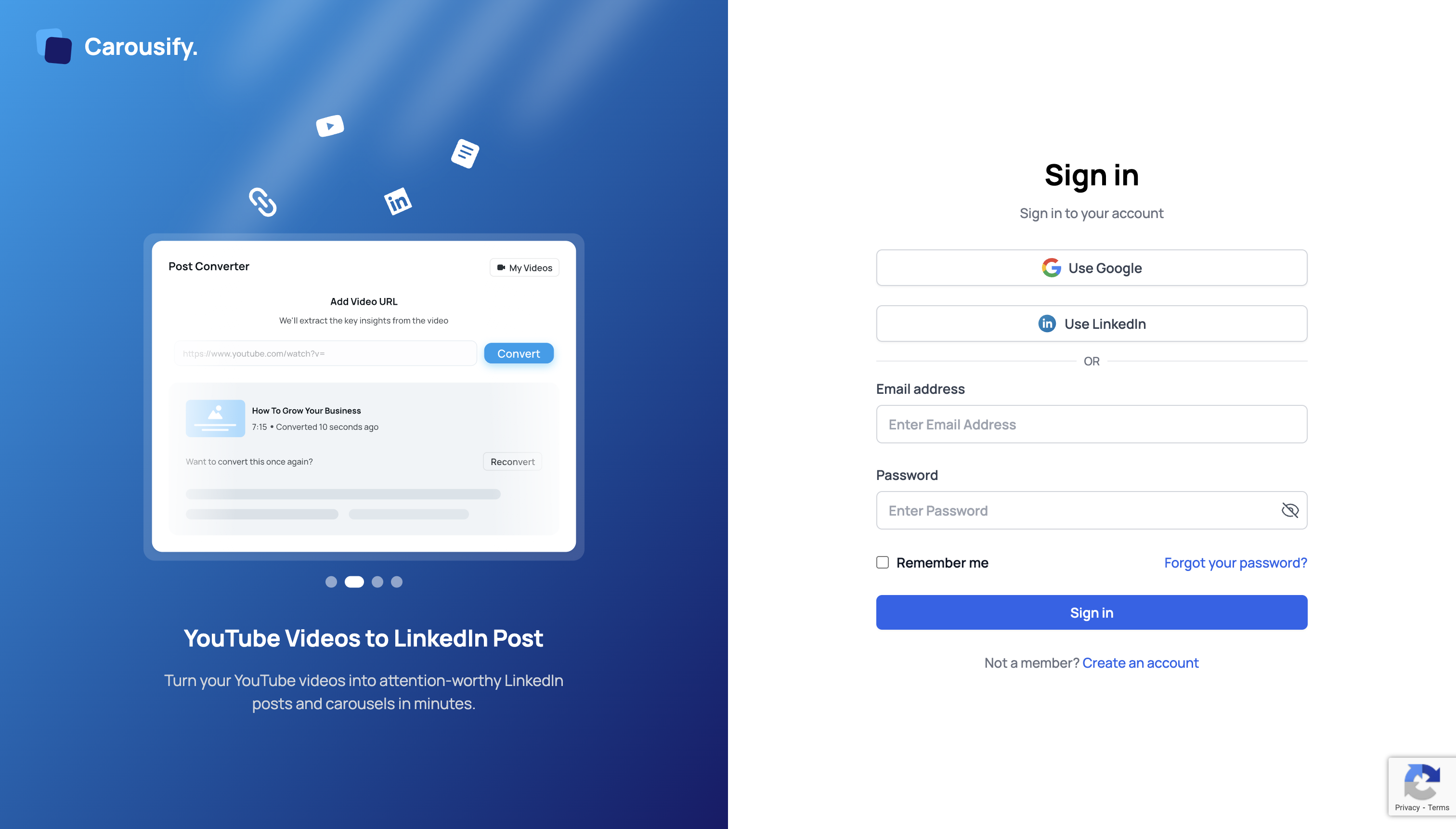
You have three options to sign up:
- Use Google – Quick sign-up with your Google account
- Use LinkedIn – Sign up directly with LinkedIn (recommended for easier integration)
- Email Address – Traditional email and password signup
I recommend using the "Use LinkedIn" option since you'll be connecting your LinkedIn account anyway. It saves a step and makes the whole process smoother.
Step 2: Choose Your Subscription Plan
After creating your account, you'll be taken to the billing page to select a plan.
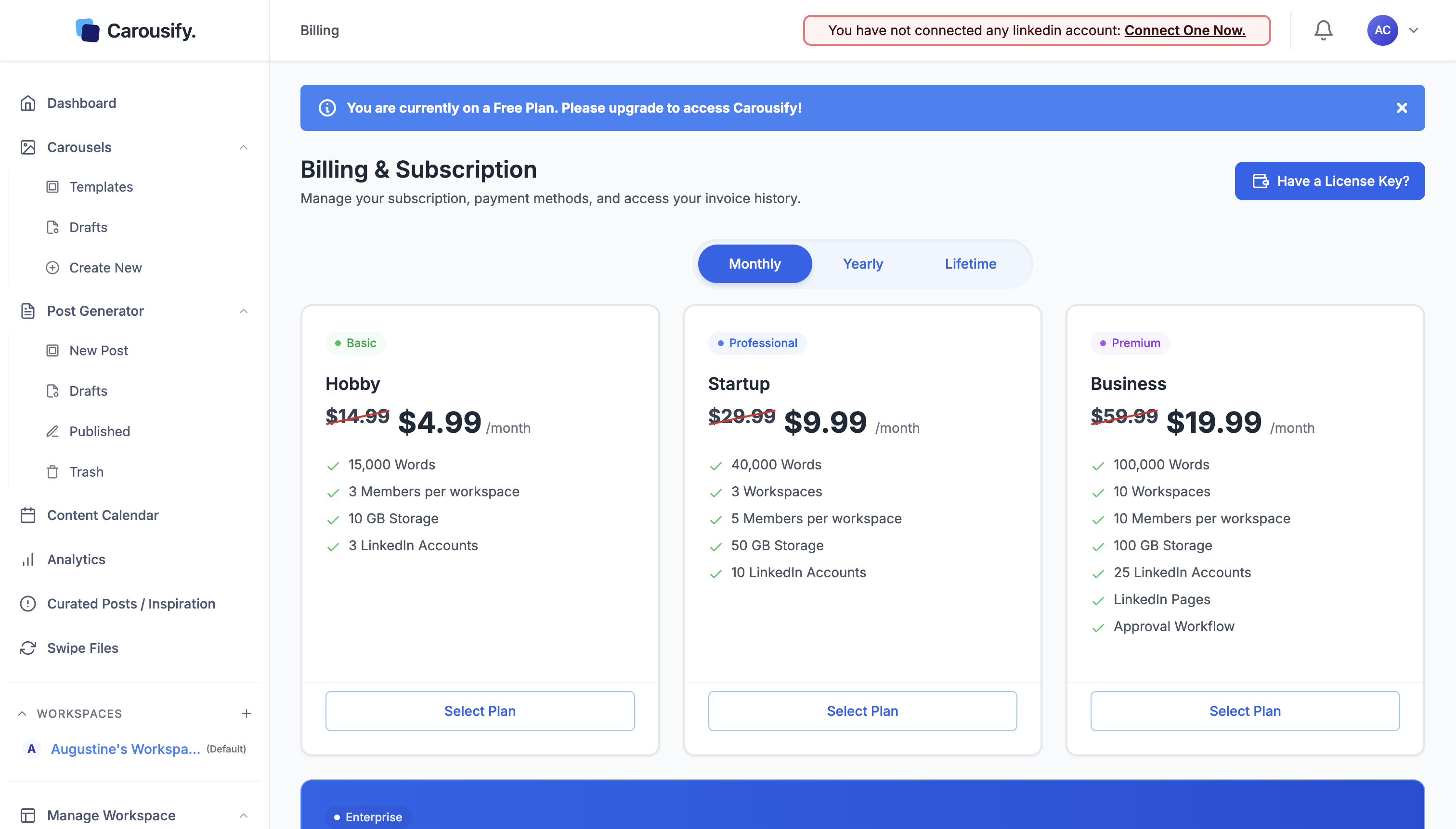
Carousify offers three pricing tiers:
1. Hobby Plan – $4.99/month
- 15,000 Words
- 3 Members per workspace
- 10 GB Storage
- 3 LinkedIn Accounts
Perfect for individual creators just getting started with LinkedIn content.
2. Startup Plan – $9.99/month
- 40,000 Words
- 3 Workspaces
- 5 Members per workspace
- 50 GB Storage
- 10 LinkedIn Accounts
Great for growing personal brands and small teams.
3. Business Plan – $19.99/month
- 100,000 Words
- 10 Workspaces
- 10 Members per workspace
- 100 GB Storage
- 25 LinkedIn Accounts
- LinkedIn Pages support
- Approval Workflow
Ideal for agencies and larger teams managing multiple clients.
The pricing is honestly very reasonable compared to other LinkedIn tools I've tried. Most competitors charge $30-50/month for similar features.
Step 3: Connect Your LinkedIn Account
Once you've subscribed, navigate to Workspaces > Integrations from the left sidebar.
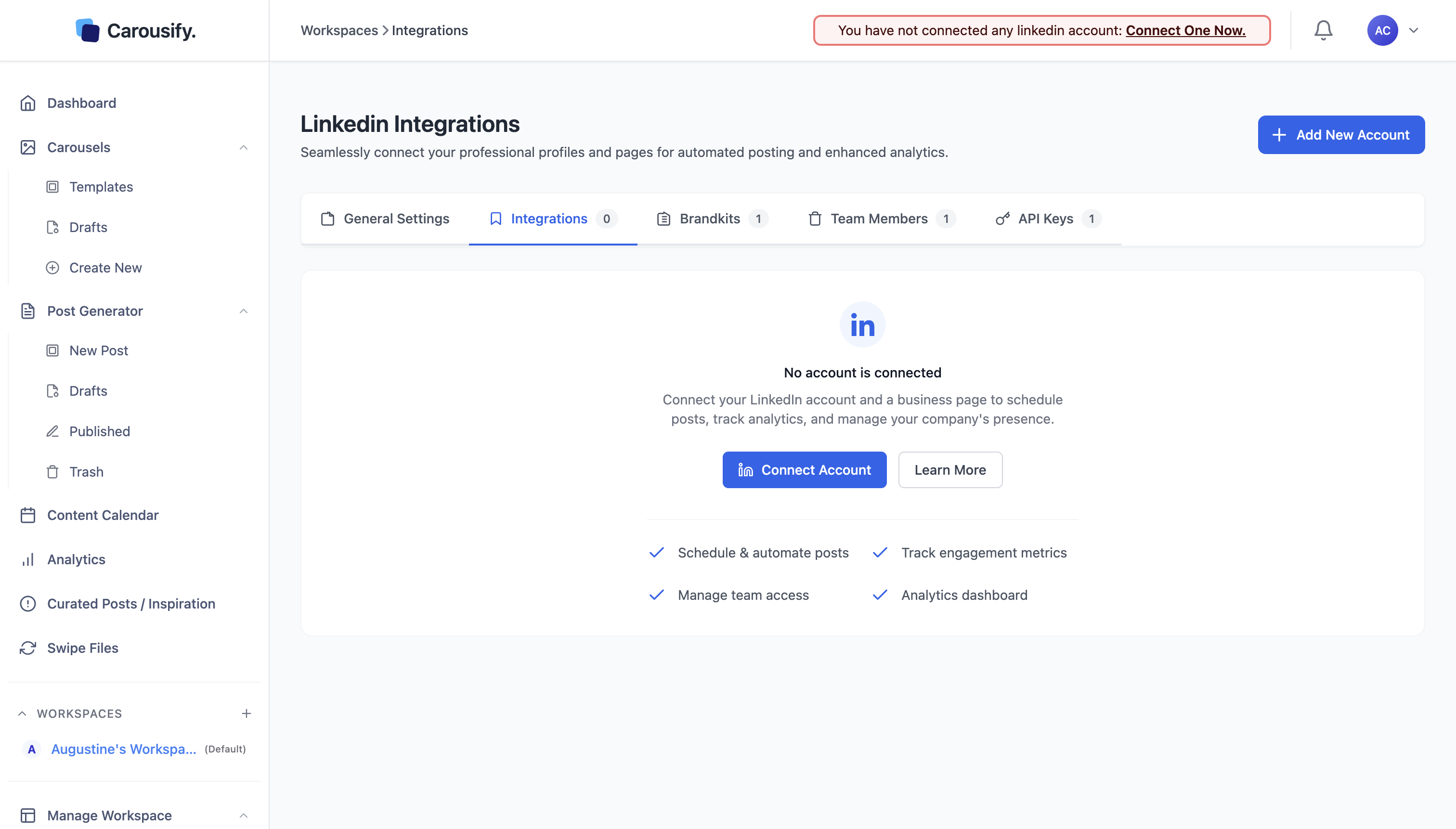
Click the blue "Connect Account" button. This will redirect you to LinkedIn where you'll authorize Carousify to:
- Schedule and automate posts
- Track engagement metrics
- Manage team access
- Access analytics dashboard
Important: Carousify uses official LinkedIn APIs, which means:
- It never asks for your LinkedIn password
- It doesn't use cookie manipulation
- It's 100% compliant with LinkedIn's terms of service
This is crucial because many LinkedIn automation tools violate LinkedIn's policies and can get your account restricted. Carousify does things the right way.
After authorization, you'll be redirected back to Carousify where you'll see your account connected.
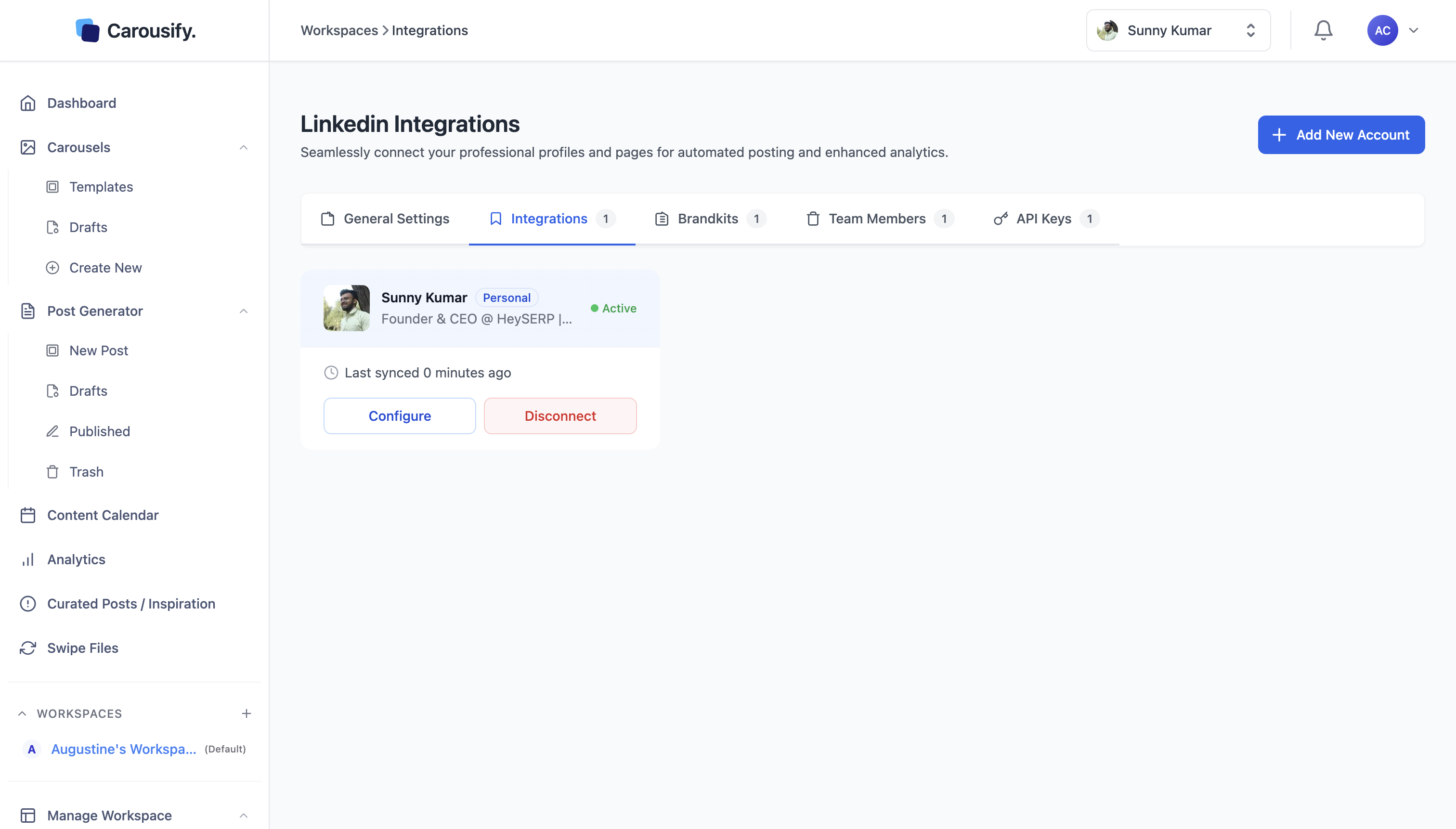
You'll see your profile name, title, and an "Active" status indicator. The system syncs with LinkedIn every few minutes to keep everything up to date.
Step 4: Create Your LinkedIn Post
Now comes the fun part – creating content!
Navigate to Post Generator > New Post from the left sidebar.
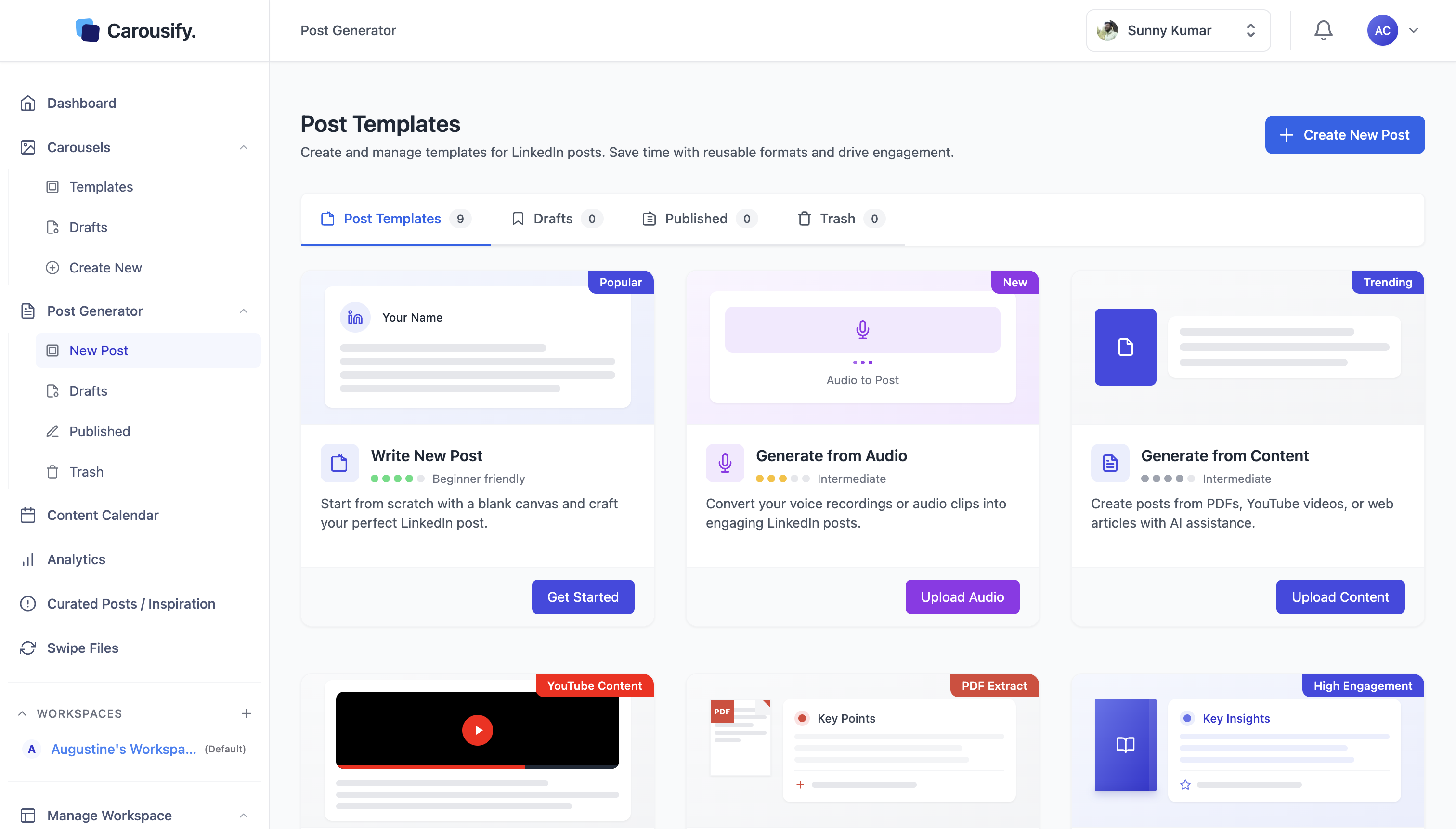
Carousify offers several ways to create content:
Option 1: Write New Post
Start from scratch with a blank canvas. Perfect for when you have a specific idea in mind.
Option 2: Generate from Audio
Convert voice recordings or audio clips into engaging LinkedIn posts. Great for repurposing podcast content or capturing thoughts on the go.
Option 3: Generate from Content
Create posts from PDFs, YouTube videos, or web articles with AI assistance. This is incredible for content repurposing!
For this example, let's choose "Write New Post" and click "Get Started."
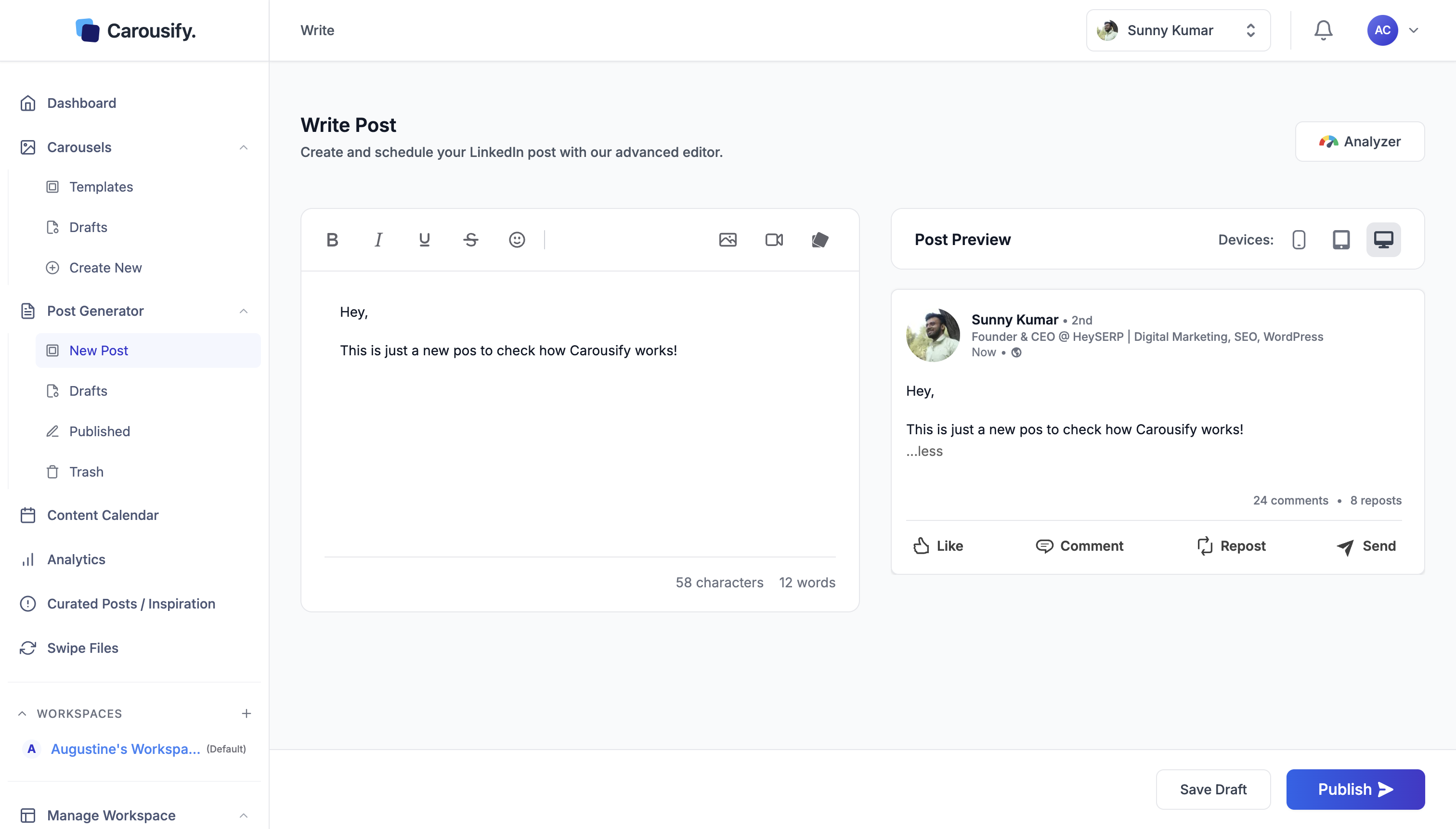
You'll see the post editor with:
Left Panel – Text Editor:
- Formatting tools (Bold, Italic, Underline, Strikethrough)
- Emoji picker
- Image upload
- Video upload
- Document attachment
- Character and word counter
Right Panel – Live Preview:
- Real-time preview of how your post will look on LinkedIn
- Device preview options (Mobile, Tablet, Desktop)
- Engagement metrics preview
The live preview is fantastic because you see exactly how your post will appear to your audience before scheduling.
Write your content in the editor. You can format text, add emojis, and upload media just like you would on LinkedIn directly.
Step 5: Schedule or Publish Your Post
Once your post is ready, click the blue "Publish" button in the bottom right.
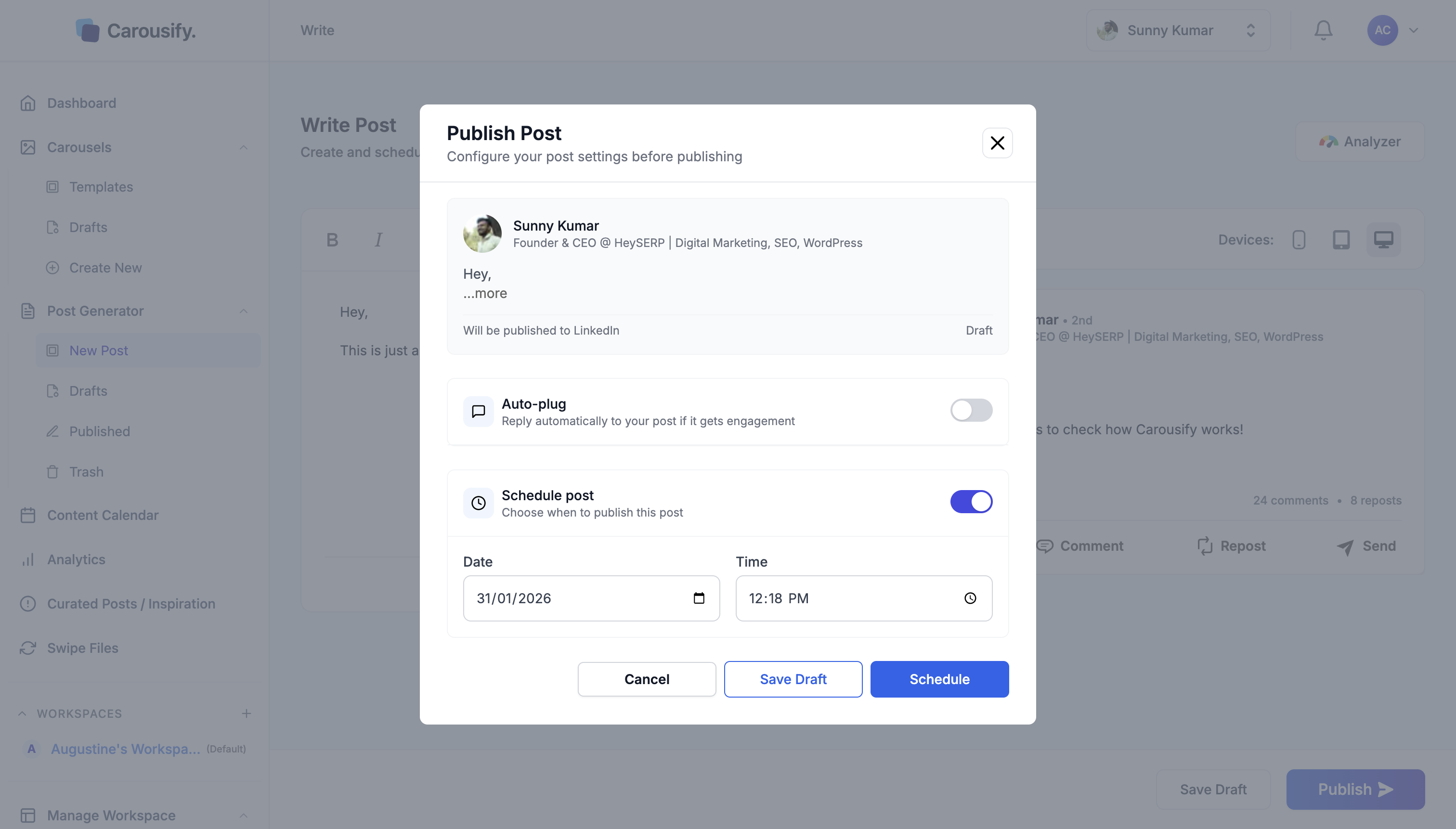
A modal dialog will appear with publishing options:
Auto-plug Feature:
Toggle this on to automatically reply to your post if it gets engagement. This helps boost visibility and keeps conversations going even when you're busy.
Schedule Post:
Toggle this on to choose when to publish. You can set:
- Date – Pick any future date
- Time – Set the exact time down to the minute
The scheduling interface is simple and intuitive. No complicated timezone conversions or confusing date pickers.
Publishing Options:
- Cancel – Discard changes and go back to editing
- Save Draft – Save your post to publish later
- Schedule – Schedule the post for your chosen date and time
Click "Schedule" and you're done! Your post will automatically publish at the scheduled time.
Why I Chose Carousify Over Other LinkedIn Tools
I've tried several LinkedIn scheduling tools, and here's why Carousify stands out:
1. Purpose-Built for LinkedIn
Most social media tools try to handle X, Facebook, Instagram, LinkedIn, and more. They end up being mediocre at everything.
Carousify focuses exclusively on LinkedIn, which means every feature is optimized for what works on the platform. The carousel templates, post formats, and analytics are all LinkedIn-specific.
2. AI-Powered Content Creation
The AI writing assistant actually understands LinkedIn's tone and style. It doesn't just generate generic content – it creates posts that resonate with professional audiences.
I use it when I'm stuck or want to refine a post. It's like having a LinkedIn content expert on call 24/7.
3. Content Repurposing Made Easy
The ability to convert PDFs and videos into LinkedIn posts is a game-changer. I've turned:
- Client reports into valuable insights
- YouTube videos into engaging carousels
- Blog posts into LinkedIn threads
This feature alone saves me hours every week.
4. Compliance and Safety
Carousify uses official LinkedIn APIs, which means zero risk of account restrictions. Some other tools use browser automation or cookie manipulation, which violates LinkedIn's terms of service.
I'm not willing to risk my LinkedIn account for convenience, and Carousify ensures I don't have to.
5. Affordable Pricing
At $4.99/month for the Hobby plan, it's incredibly affordable for individual creators. Even the Business plan at $19.99/month is cheaper than most competitors.
Common Questions About Carousify
Q: Is Carousify safe to use with my LinkedIn account?
Yes! Carousify uses official LinkedIn APIs and doesn't ask for your password or use risky automation techniques. It's 100% compliant with LinkedIn's terms of service.
Q: Can I manage multiple LinkedIn accounts?
Yes! Even the Hobby plan supports 3 LinkedIn accounts. The Business plan supports up to 25 accounts plus LinkedIn Pages.
Q: Does Carousify work for LinkedIn Pages?
Yes, but only on the Business plan ($19.99/month). The Hobby and Startup plans support personal profiles only.
Q: Can I try it before committing?
Carousify offers different pricing tiers, allowing you to start with the affordable Hobby plan and upgrade as needed.
Final Thoughts
Carousify has genuinely transformed my LinkedIn content strategy. Instead of stressing about posting daily and creating graphics from scratch, I spend one focused session per week creating content, and the rest happens automatically.
The combination of smart scheduling, AI assistance, and content repurposing tools makes it incredibly powerful for anyone serious about growing on LinkedIn.
Is Carousify worth it?
If you're posting on LinkedIn more than once a week, absolutely. The time saved on content creation and scheduling alone justifies the cost. The analytics and AI features are bonuses that make it even more valuable.
My recommendation:
Start with the Hobby plan ($4.99/month) to test it out. If you're managing client accounts or running a business, the Startup plan ($9.99/month) offers better value with increased limits.